Invoicing for Retail and E-commerce

Invoicing software for merchants and online stores: items with units of measure, electronic receipts, audit files, integration with Shopify, and invoice import from a file.
star iconstar iconstar iconstar iconstar icon
3000+ businesses already trust us
Invoicing for Retail and E-commerce: From Product to Payment.
Product Catalog: Saveyour products with their prices and units of measure—such as "pcs." or "kg"—and add them to the invoice with a single click.
Electronic Invoices in PDF Format: Afterinstalling the Shopify app, Inverso creates an electronic invoice for the relevant orders and can send it via email.
Audit Files in XML: The Shopify app generates an XML file for Bulgarian reporting based on orders, payments, VAT, amounts, and refunds for a selected period.
Integration with Shopify: Installthe Inverso app for Shopify, and it will process the relevant orders. You can choose to process orders at checkout or upon fulfillment.
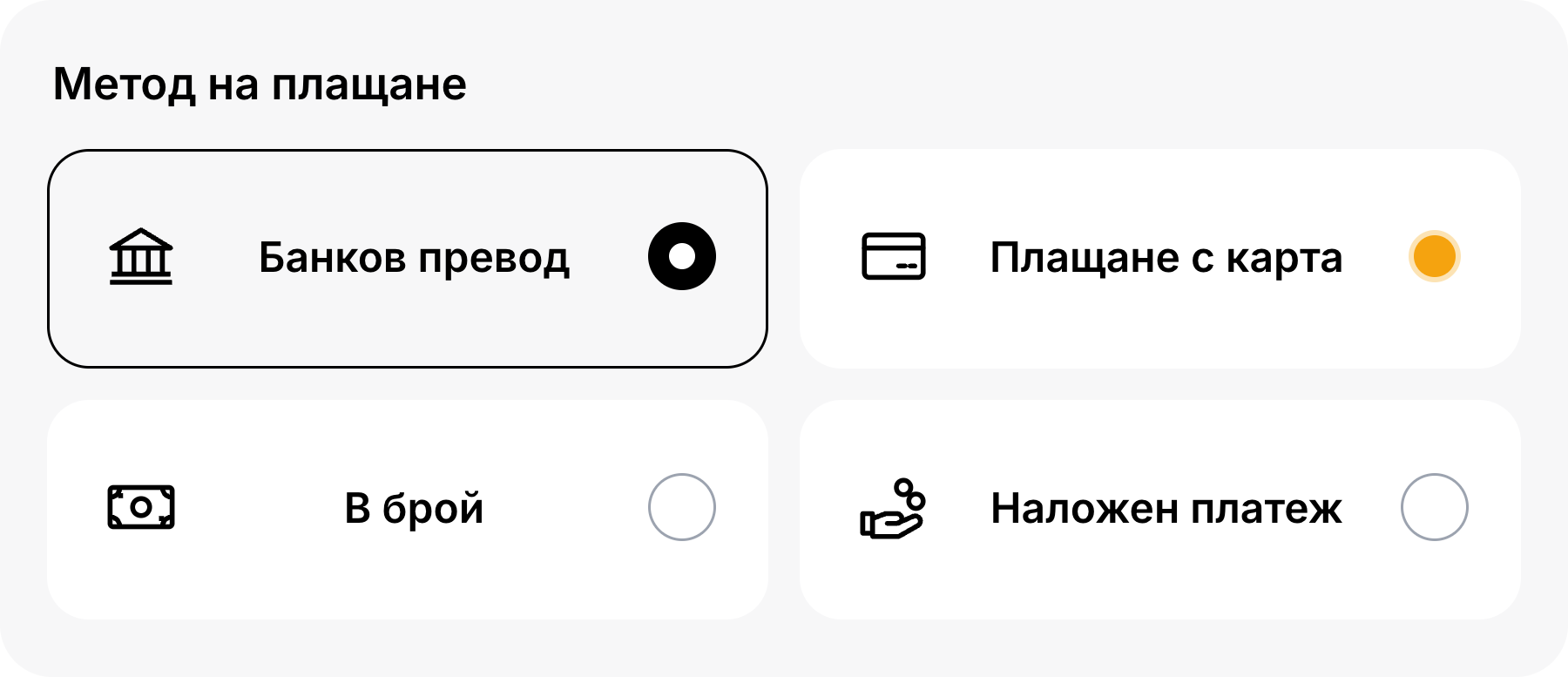
Payment Methods: Foreach invoice, you can choose between bank transfer, credit card, cash, or cash on delivery.
Import Invoices from a File: Importinvoices from a file and map the columns to the invoice fields.
Payment Terms and Methods for Retail and E-commerce.
Product Catalog
You save your items with their price and unit of measure: piece, kilogram, gram, liter, and others from the list. On the invoice, you add the quantity and price for each line item and, if desired, a discount as a fixed amount or a percentage. You can include the note “Prices include VAT.”
Get started for free
Payment Methods
For each invoice, you can choose between bank transfer, credit card, cash, or cash on delivery. For bank transfers, you select a bank account, and for credit card payments, the customer pays online via Stripe, and the payment is confirmed automatically.

Get started for free

Get started in 30 seconds

Track your company's cash flow all in one place. Easily track income and expenses with automated reports from Inverso.
Frequently asked questions
How do I issue a credit memo?
chevron down icon
Select the "Credit Memo" type and link an invoice from Inverso, or enter the number and date of an external invoice. You can retrieve the customer and products from the selected invoice.
Can I select cash on delivery?
chevron down icon
Yes. For each invoice, you can choose to pay by bank transfer, credit card, cash, or cash on delivery.
How do I add my items with prices and units of measure?
chevron down icon
You create the item in the catalog with a price and unit of measure from the list: piece, hour, minute, kilogram, gram, metric ton, liter, milliliter, or stack. Then you add it to the invoice with a single click.
Can I import invoices from a file?
chevron down icon
Yes. You match the columns in the file with the fields on the invoice and monitor the progress of the import.
Does Inverso integrate with Shopify?
chevron down icon
Yes. The Inverso app for Shopify processes eligible orders, creates a PDF receipt for the customer, and can send it via email. For the business, it generates a periodic XML file for Bulgarian reporting, which the merchant reviews and validates.
How do I receive a payment by card?
chevron down icon
You can enable your Stripe account in Settings. On the invoice, the customer pays online with a credit or debit card, and the payment is confirmed automatically. Card fees are determined by Stripe.