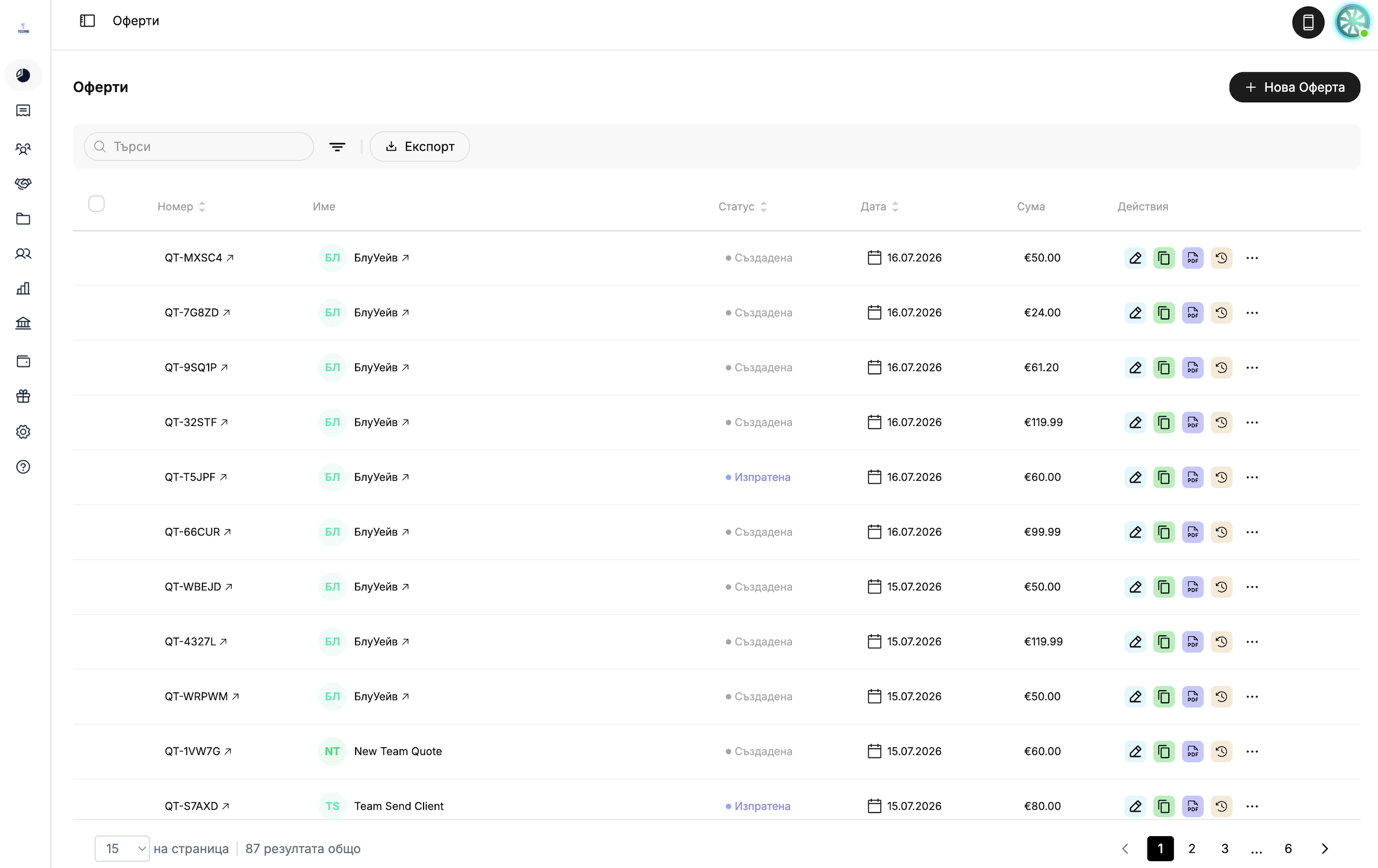
One quote. One click. An invoice ready to go.

Customers, services, prices, VAT settings, and currency—everything is transferred automatically. You don't have to re-enter anything.
star iconstar iconstar iconstar iconstar icon
3000+ businesses already trust us
Quotes that can be converted into invoices with a single click at
.
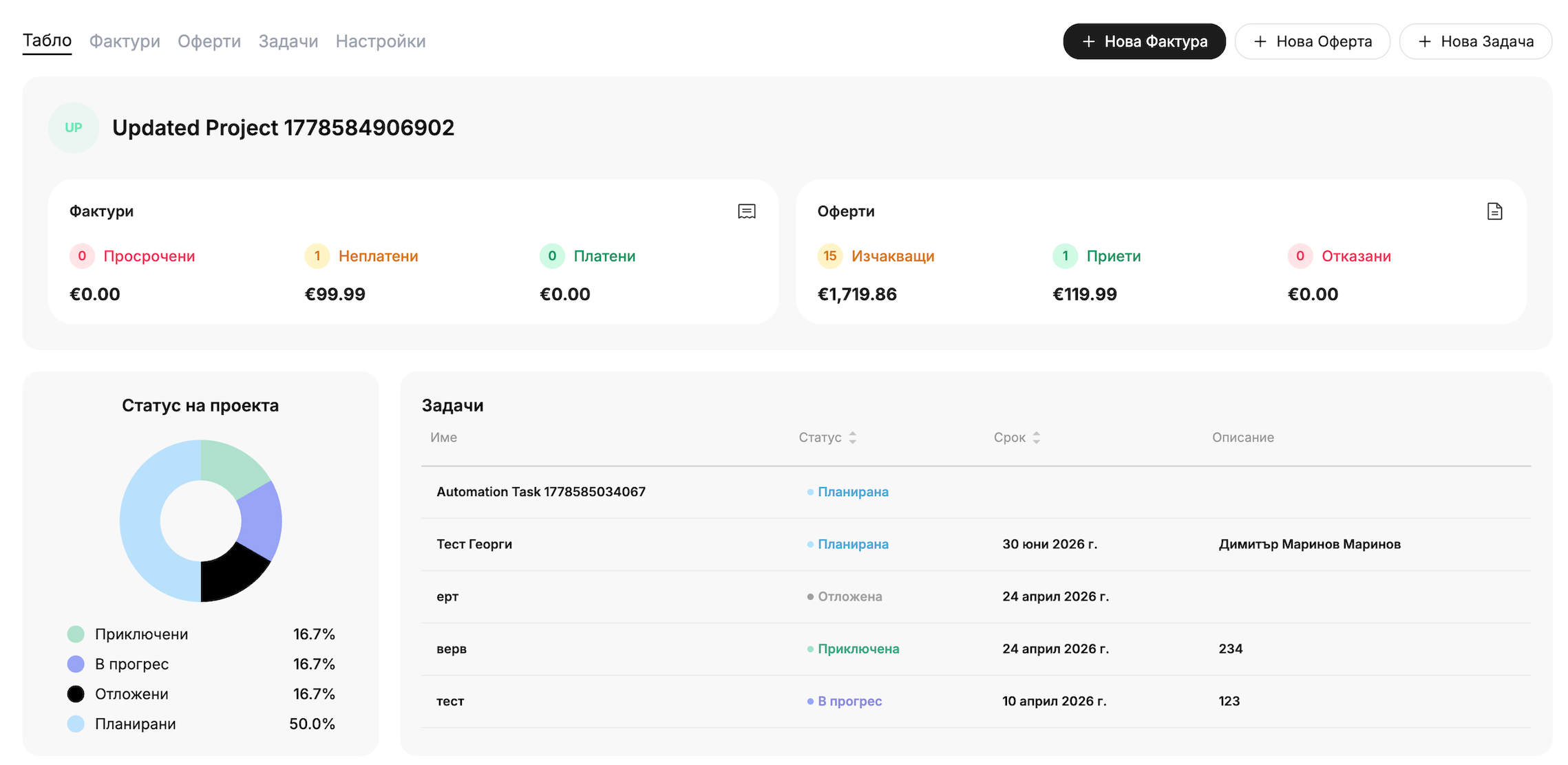
Create a quote in seconds. Adda client, services, or products with prices and discounts, VAT settings, and
currency—and your quote is ready to send.
Sending and Tracking: Eachquote is sent as a PDF attachment and includes a link to a public page, with a CC option for additional recipients.
Online Acceptance and Decline: The customerviews the offer on a public page with clear "Accept" and "Decline" buttons (
) — without exchanging emails.
Convert to an Invoice: With a single click, the quote is converted into an invoice—the customer, services,
prices, VAT invoice settings, and currency are automatically transferred.
Scheduled Delivery: Seta date and time—the offer will be sent automatically, right on time.
Multi-Currency and Branding: Issuequotes in EUR, USD, GBP, RON, and other currencies, featuring your company's logo and colors
—just like with online invoicing.
You send a quote, and the customer accepts it. The invoice is generated automatically.
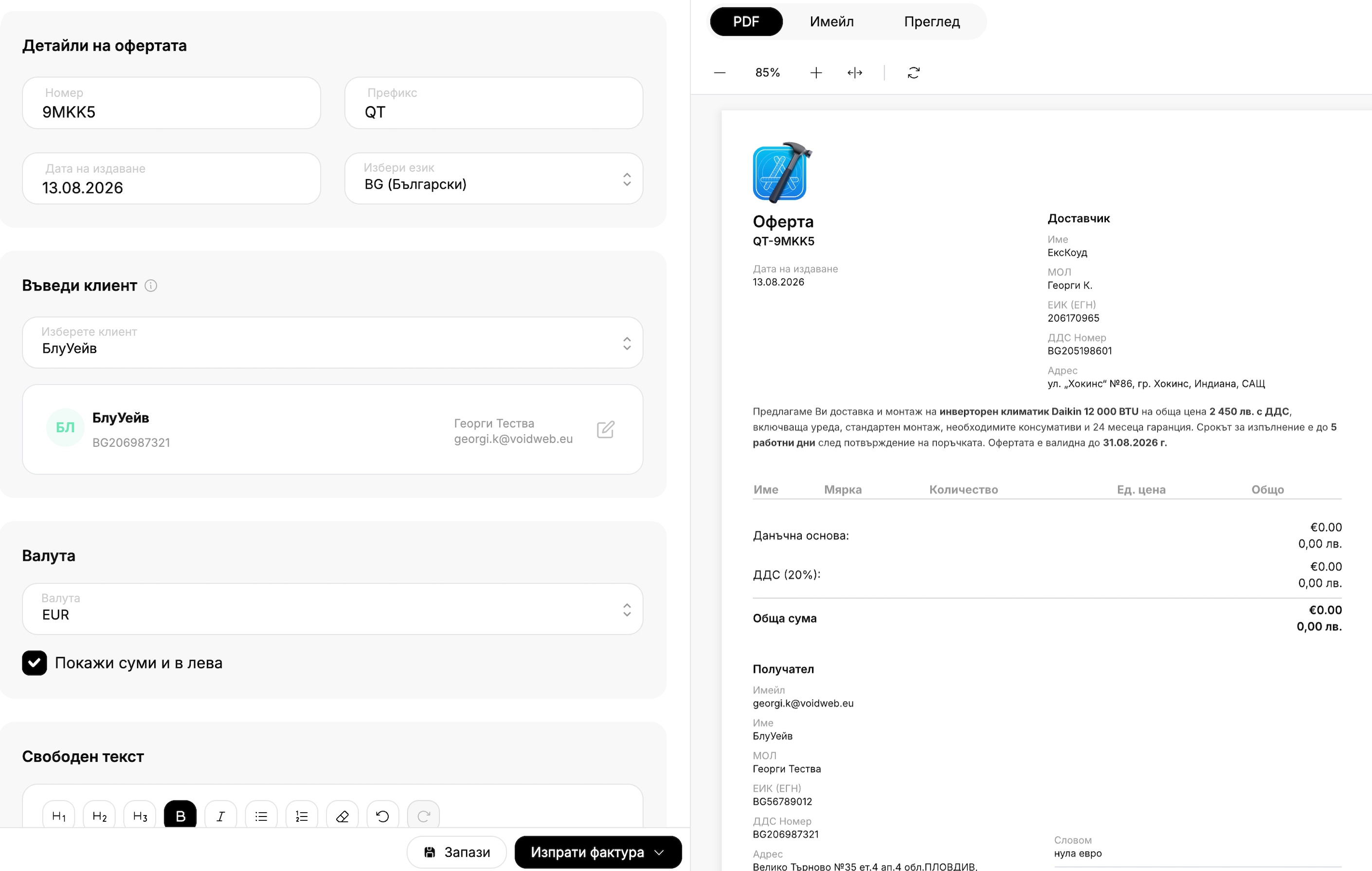
Create a quote with all the details in one place
Enter the number, prefix, and issue date; select a customer from your database or add a new one; set the VAT rate and currency—and watch the quote take shape in real time in the PDF preview on the right, ready to be sent.
Get started for free
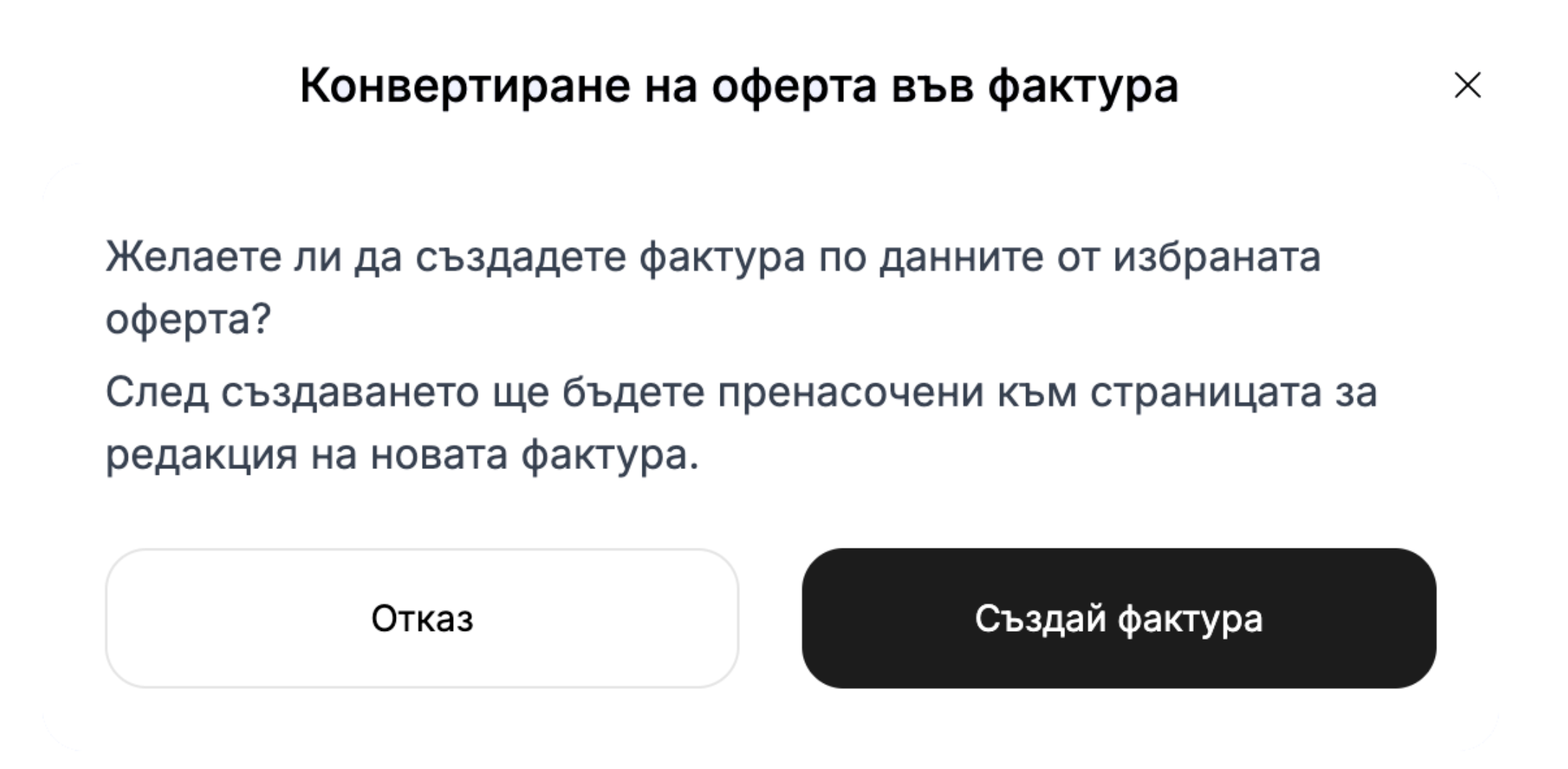
Convert to an invoice with a single click
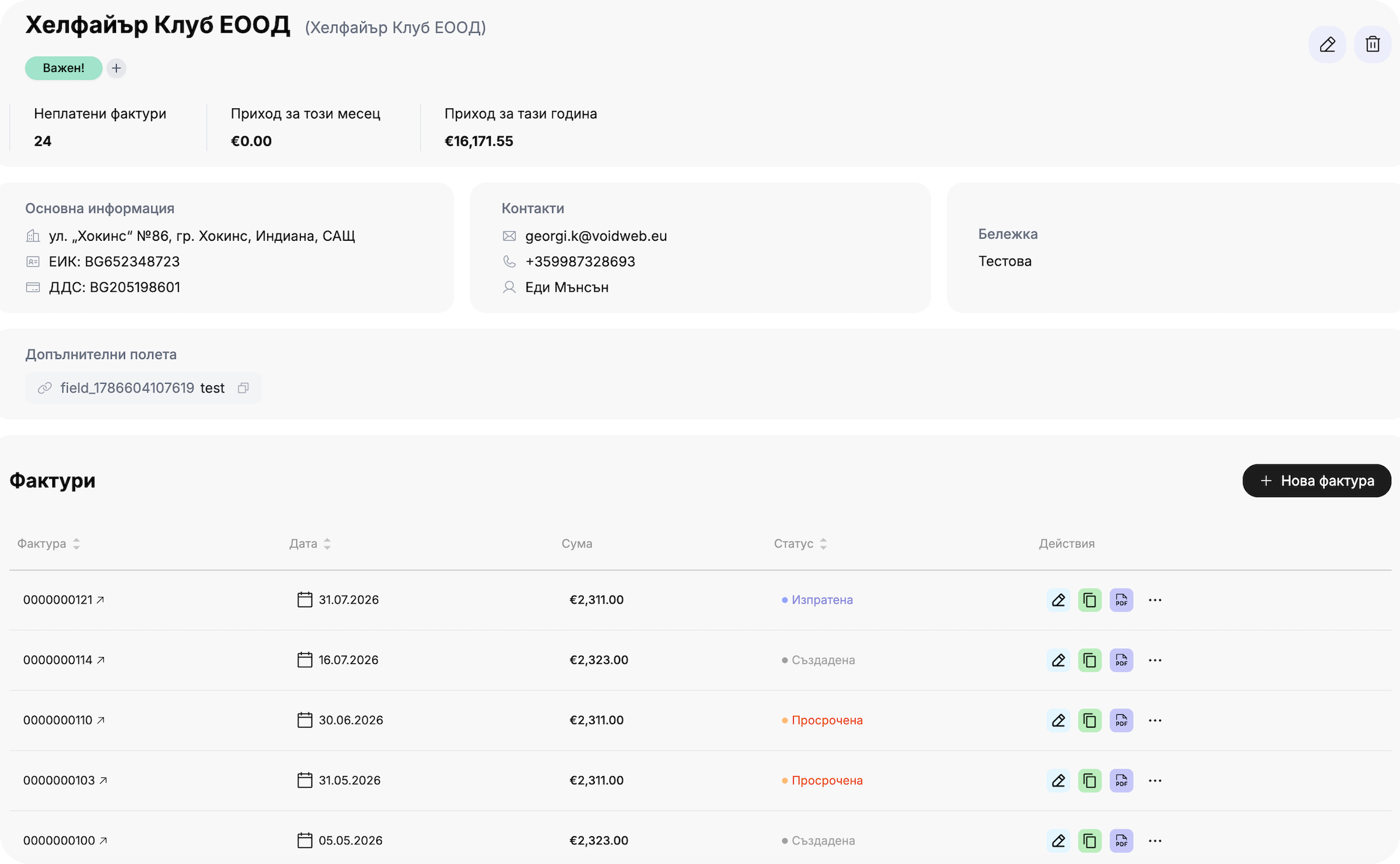
With a single click, the quote is converted into a new invoice—the customer, services, prices, VAT settings, and currency are automatically carried over, without you having to re-enter anything. This feature works at any stage of the quote process, not just after it’s been accepted, so you can issue invoices exactly when you need to—quickly, accurately, and without unnecessary manual work.

Get started for free

Get started in 30 seconds

Track your company's cash flow all in one place. Easily track income and expenses with automated reports from Inverso.
Frequently asked questions
How do you create a quote?
chevron down icon
From the "Offers" section → "Create Offer." Enter a customer, services or
products with prices and discounts, currency, VAT settings, issue date, and
free text. At least one service and customer information are required.
How does the customer accept or decline the offer?
chevron down icon
On the public page of the offer, the customer sees the "Accept" and
"Decline" buttons and responds directly, without exchanging emails. You receive
a notification as soon as they open the offer or respond.
Can the quote be converted into an invoice?
chevron down icon
Yes—with a single click on “Convert to Invoice,” the customer, services, prices,
VAT settings, and currency are automatically transferred. It works at every stage of the quote, not just after it’s been accepted. Available starting with the Solo plan.
Can I schedule the sending of a quote?
chevron down icon
Yes, you can set a specific date and time for the offer to be sent automatically to
. This feature is available starting with the Solo plan.
In which currencies can I issue quotes?
chevron down icon
The offers support EUR, USD, RON, GBP, and other currencies (excluding BGN directly;
due to the transition to the euro), with the option to display the equivalent in leva
for EUR.
How are bids numbered?
chevron down icon
Quotes have their own numbering system, separate from invoices (by default,
with the prefix “QT”), using a random code instead of a strictly sequential number—
—since, unlike invoices, quotes are not fiscal documents and are not
subject to legal regulation.
Can I customize the email template for quotes?
chevron down icon
Yes, under Settings → "Email Templates," you can set a fixed subject line and
email body text, separate from those for invoices, and by language (BG/EN). This feature
is available only for the Team plan and above.
Is there a limit to the number of offers I can send?
chevron down icon
The free plan allows for up to 5 quotes in total (including deleted ones). The Solo
plan and higher unlock scheduled sending, conversion to invoices,
branding, and bulk PDF export.
Is the offer valid until a certain date?
chevron down icon
Not automatically—the system does not set a validity or expiration date.
You can add sample text in the notes, but this is not an actual
feature tied to the offer's status.