Financial Management and
: Digitizing Expenses for Your Business

Online accounting software for managing income and expenses, featuring automatic bank account synchronization and digital document scanning. A comprehensive, real-time report on the company's income and expenses.
star iconstar iconstar iconstar iconstar icon
3000+ businesses already trust us
Digitizing accounting, which saves hours of manual work
Bank Synchronization for Financial Management: Connectyour bank accounts to our financial management platform and track every payment confirmation as part of the digital transformation of your business.
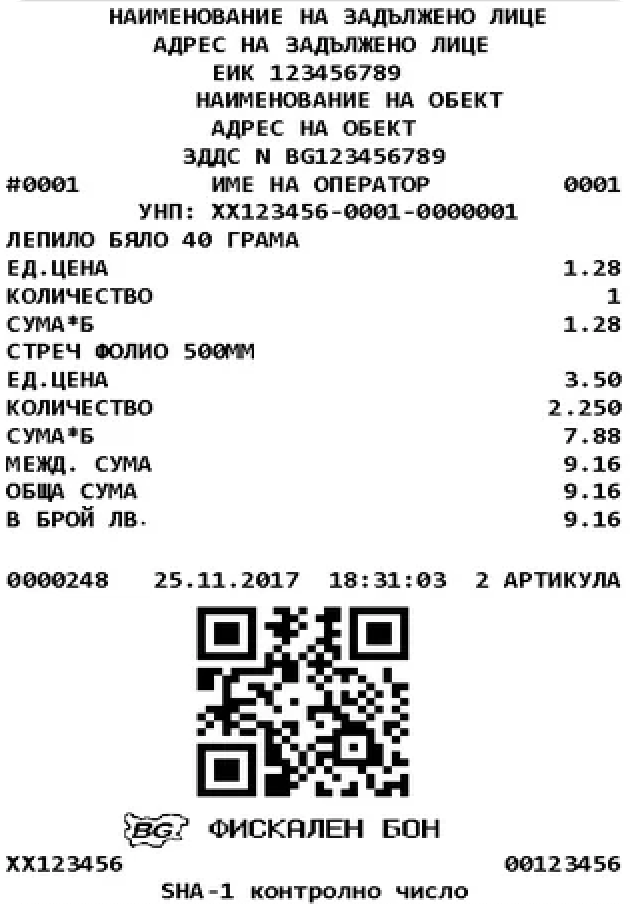
Digitization of Accounting Documents: You take a photoof an invoice or receipt, and the platform automatically recognizes it—
step in the digital transformation of your company’s digital accounting at
.
Management of Income and Expenses from Bank Transactions: The income and expense management and financial management platform
takes into account only actual bank transactions from your linked accounts.
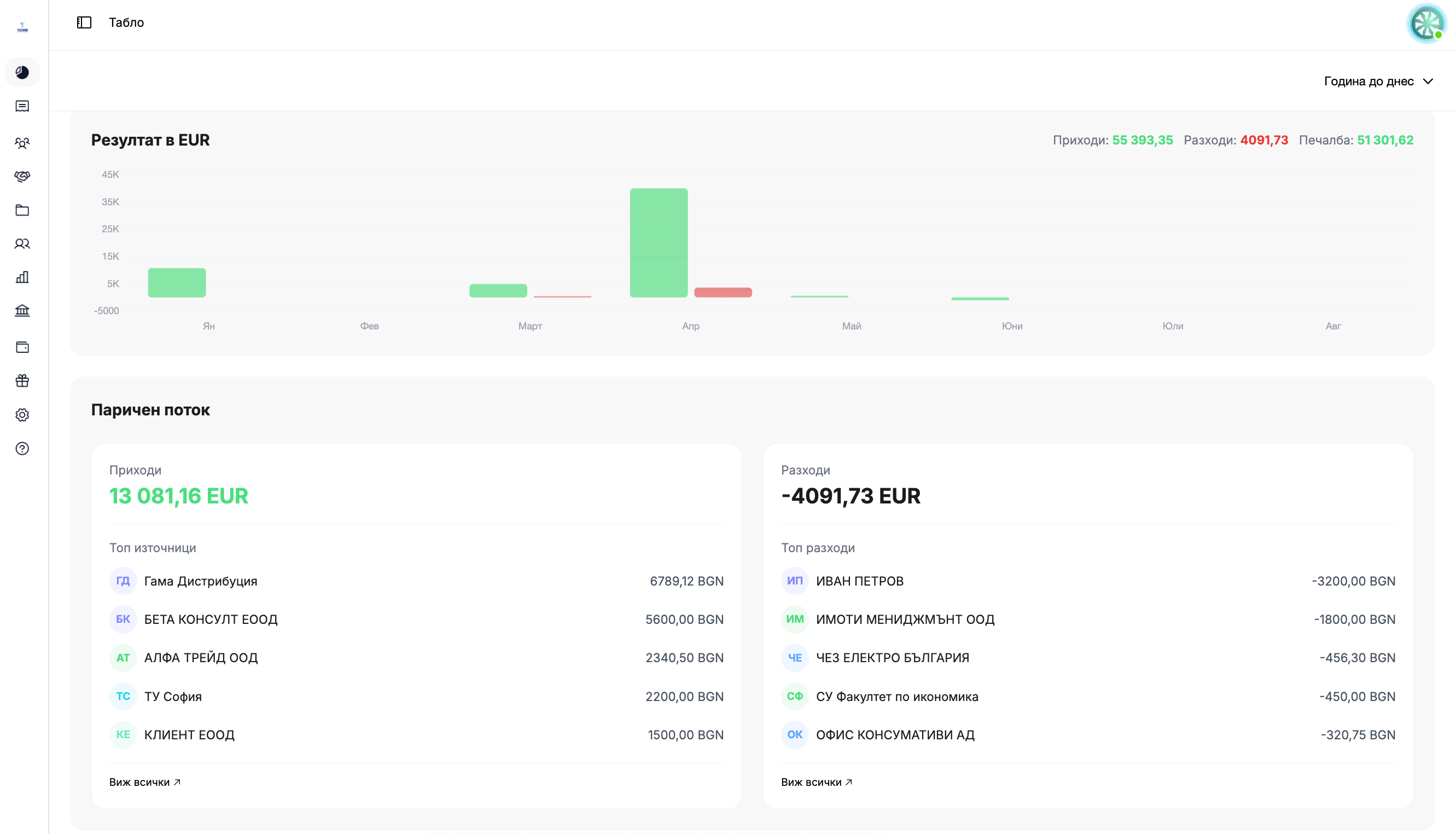
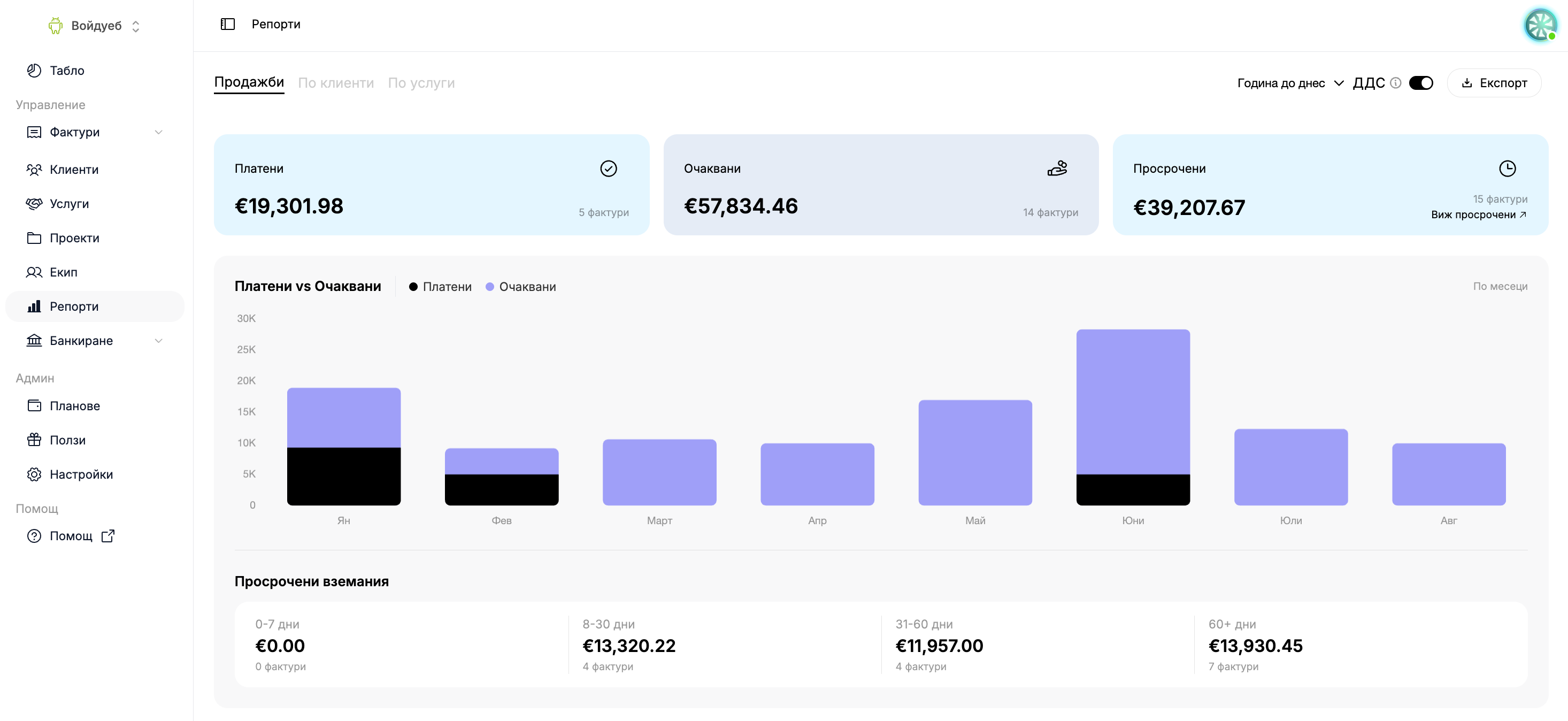
Real-Time Financial Reports: You can viewup-to-date financial reports for your business, which are automatically updated at
with every new transaction.
Periodic Accounting Analysis: Expensesare reported for a selected period to facilitate accounting analysis and
financial management of cash flow.
Secure Bank Account Management: You can unlinka bankaccount at any time—its past transactions will no longer appear
in the financial management and digital accounting system.
Financial management of expenses. Fully digitized.
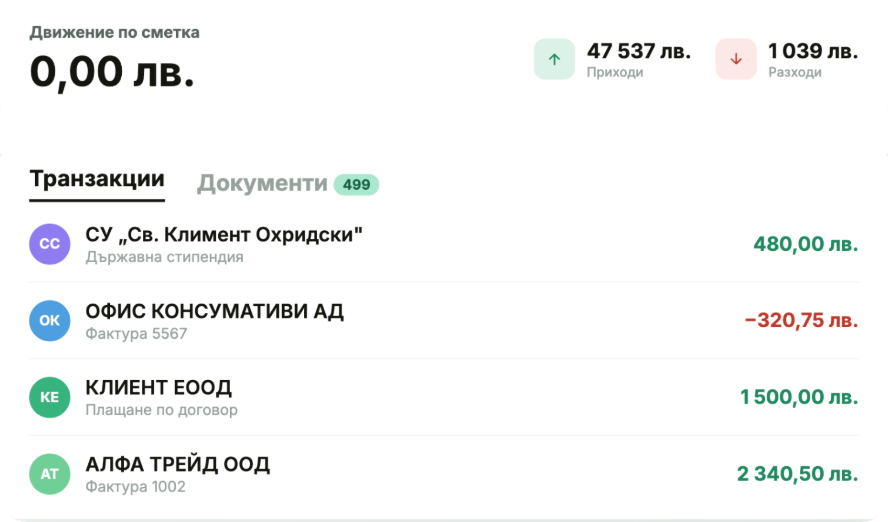
Bank Synchronization for Financial Management
Link your bank accounts to our accounting software and track
your income and expenses in real time. Every payment confirmation is automatically reflected in the company's income and expense statement.
Get started for free
Digitization of Accounting Documents
You take a photo of an invoice or receipt, and the system automatically scans them and adds them to your financial reports. This is part of
's digital transformation of accounting, eliminating the need for manual data entry.
Get started for free
Doroteya Slavova, Manager of 57 Studio
The administrative work was taking up too much of my time and preventing me from focusing on clients and strategies.
3,000+
Businesses have already placed their trust in us
A woman with straight brown hair, wearing a black blazer and blue jeans, is sitting in a beige textured armchair next to the orange and blue S7 Studio logo on a white background.

Get started in 30 seconds

Track your company's cash flow all in one place. Easily track income and expenses with automated reports from Inverso.
Frequently asked questions
How are expenses tracked in the system?
chevron down icon
Expenses are calculated based on bank transactions marked as withdrawals or
payments from your linked bank accounts—not from invoices or manually entered amounts.
What happens if I close a bank account?
chevron down icon
Old transactions on the unlinked account no longer appear in the system—as if they had never been linked.
How does document recognition work?
chevron down icon
You upload a photo or a PDF of an invoice or receipt, and the platform recognizes and
displays the data from the document—part of the digitization of your accounting.
Can I view expenses for a specific period only?
chevron down icon
Yes, you can select a time period (for example, the last month), and the data at
will show only the transactions from that period.
Is the profit reported automatically?
chevron down icon
Profit is shown as the difference between revenue and expenses calculated from the related bank transactions.