Invoicing for business consulting services.

Invoicing software for consulting services: quotes, pro forma invoices with advance payments, hourly invoices, payment reminders, and card payments.
star iconstar iconstar iconstar iconstar icon
3000+ businesses already trust us
Invoicing for Consulting Services: From the Proposal to Payment.
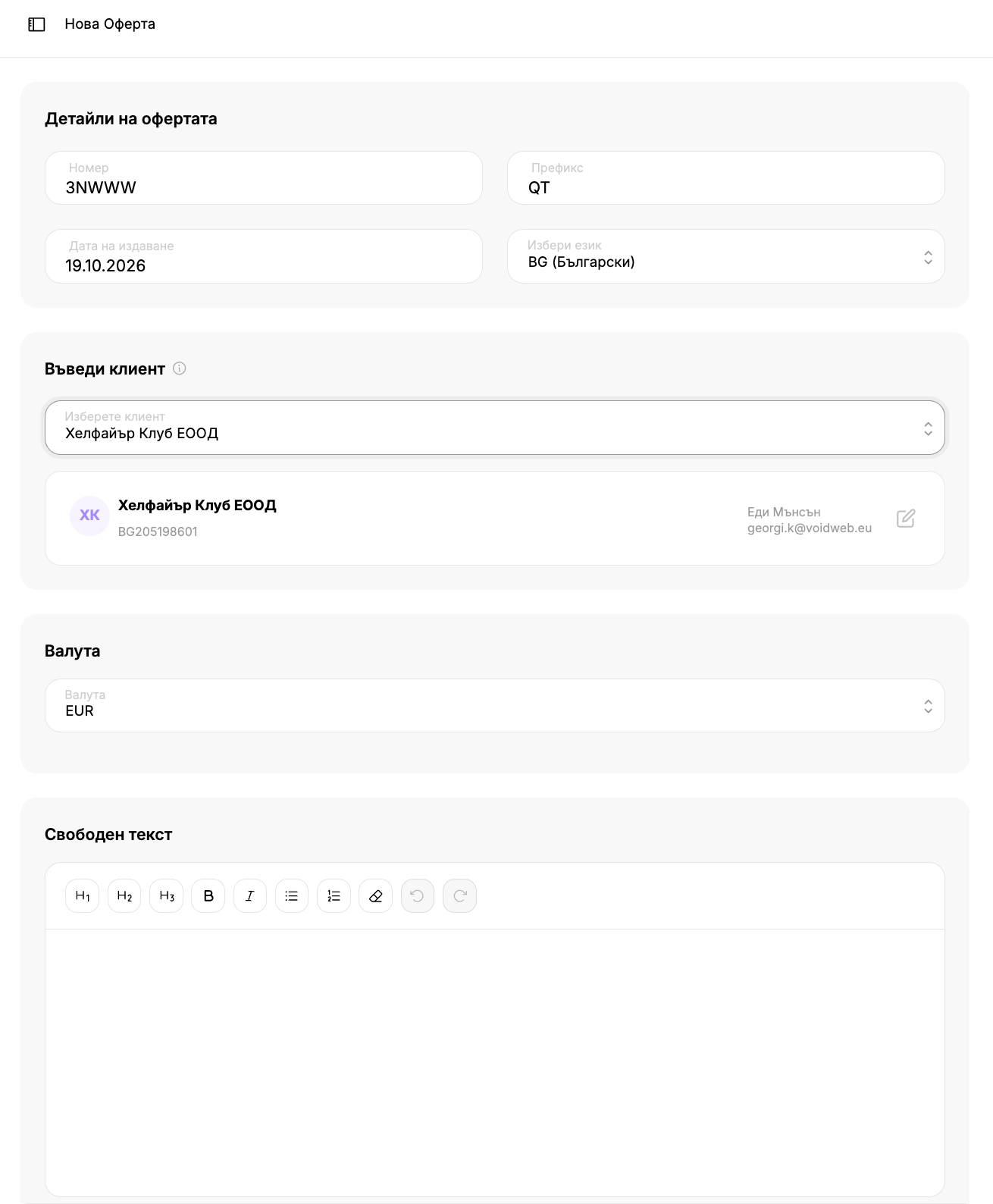
Quotes for Consulting Services: Sendthe quote via email. The client accepts or declines it via a link, and you can convert an accepted quote into an invoice.
Service Catalog: Saveyour consultations with prices and units of measure—such as hours—and add them to the invoice with a single click.
Pro forma invoices and advance payments: Issuepro forma invoices and add advance payments, which are deducted from the final amount.
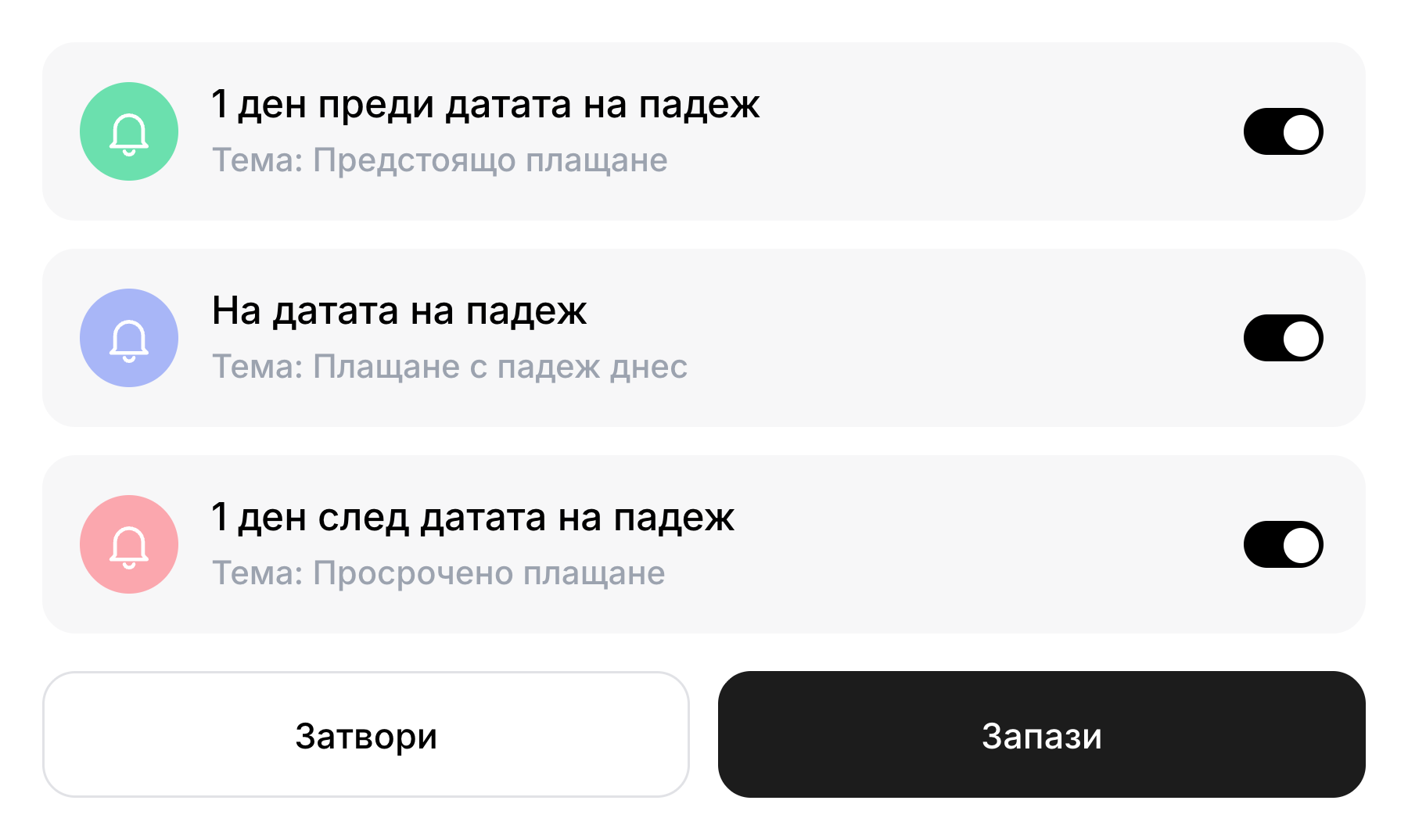
Payment Reminders: Set upautomatic reminders before, on, and after the due date, with a pre-written message that you can customize.
Customer and Service Reports: Seewhich customers generate the most revenue and which services are the best sellers for a selected time period.
VAT Number Verification: Checka customer's VAT number in the European VIES registry.
Offers and reminders regarding consulting services.
Quotes That Become Invoices
You create a quote that includes services, prices, and a free-form text section at the beginning of the quote—for example, a description of the project. The customer opens it via a link and clicks “Accept” or “Decline.” You can convert an accepted quote into an invoice with a single confirmation.
Get started for free
Payment Reminders
You can set up automatic reminders for each invoice: before the due date, on the due date, and after the due date. For each of the three, you can specify a subject and text, and after the due date, you can choose whether to send the reminder once or every specified number of days.

Get started for free

Get started in 30 seconds

Track your company's cash flow all in one place. Easily track income and expenses with automated reports from Inverso.
Frequently asked questions
How do I send a quote to a client?
chevron down icon
You create the offer using the new offer form and send it via email or schedule it for later by selecting a date and time. The customer opens it via a link and clicks “Accept” or “Decline.”
How do I turn an accepted offer into an invoice?
chevron down icon
From the menu of the accepted quote, select "Convert to Invoice." After confirming, a draft will open, which you can then complete.
Can I issue a pro forma invoice with an advance payment?
chevron down icon
Yes. In the new document form, select the “pro forma” type, and add the advance payments in a separate section with a description and amount. They are deducted from the final amount.
How do I set up automatic payment reminders?
chevron down icon
In the invoice template, enable “automatic reminders” and, under “Schedule Settings,” select which of the three reminders to send: before the due date, on the due date, or after the due date. There is a pre-written message for each one that you can edit.
How do I verify a customer's VAT number?
chevron down icon
With a single click, Inverso checks the number in the European VAT Register (VIES) and suggests a company name, EIK, and address for auto-fill.
Can I issue invoices in English and in euros?
chevron down icon
Yes. You can choose between Bulgarian and English, and for customers outside Bulgaria, you can include the English fields. For invoices in euros, you can also display the amounts in leva.